Can You Hide Reposts on TikTok? What Actually Works
Quick Answer
TikTok has no setting that hides your Reposts tab from profile visitors. Your real options are: set your whole account to private, which hides everything from non-followers, or remove the reposts you don't want seen. Turning off repost suggestions only changes your own feed, not your profile.
Short version: you can't hide the Reposts tab. TikTok gives you no switch for it. What you do have is three realistic moves, depending on what you're actually trying to achieve.
What people usually mean by "hide reposts"
- "I don't want profile visitors scrolling my reposts" → the tab can't be hidden; you'll need to remove reposts or go private.
- "I don't want to SEE reposts in my feed" → that one is a setting, and it only affects you.
- "I reposted something embarrassing" → just remove that one repost. See how to undo a repost.
Option 1: Go private
Settings → Privacy → Private account. Everything (videos, likes, reposts) becomes visible only to approved followers. It works, but it's all-or-nothing: you also lose public reach, and your existing followers still see the full Reposts tab.
Option 2: Remove the reposts
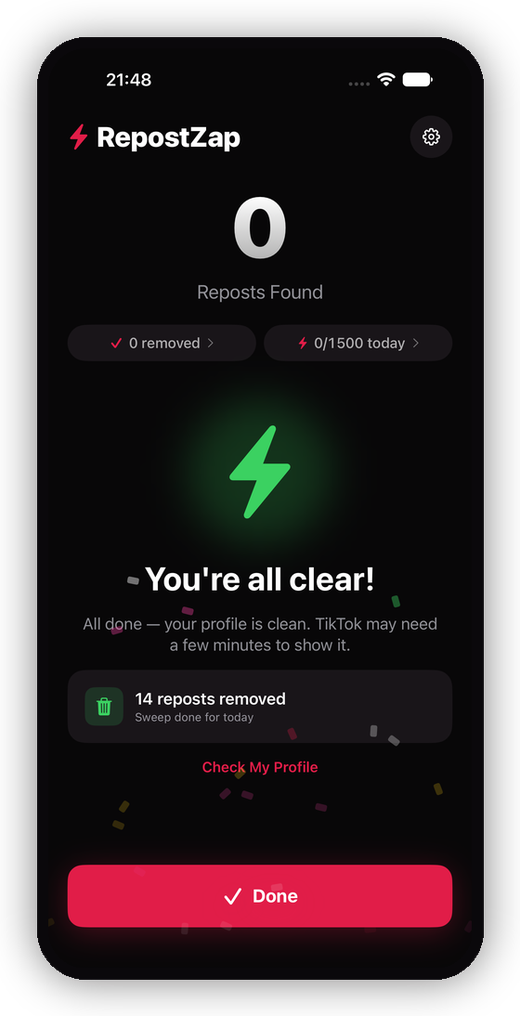
The only way to take a repost out of public view while staying public is to remove it. TikTok only offers this one video at a time (Share → Remove repost). If the tab has years of accumulation, RepostZap scans your profile, lists every repost, and removes the ones you select in one automated pass, with keep-filters for the ones you're proud of.
Option 3: Stop reposts appearing in your own feed
If your goal was your own feed: Settings → Content preferences lets you reduce reposted content suggestions, and long-pressing any video → "Not interested" trains the algorithm. Again, this changes what you see, not what your profile shows.
The honest matrix
| Goal | Works? | How |
|---|---|---|
| Hide the Reposts tab, stay public | ❌ | Not possible on TikTok |
| Hide reposts from strangers | ✅ | Private account |
| Hide reposts from everyone | ✅ | Remove the reposts |
| Clean up years of reposts fast | ✅ | RepostZap, one pass |
| Fewer reposts in your own feed | ✅ | Content preferences |
Frequently Asked Questions
Is there a setting to make my reposts private?
Does turning off reposts in settings hide my Reposts tab?
If I go private, are my old reposts hidden?
What's the only way to remove a repost from public view on a public account?
Clear your Reposts tab with RepostZap
Scan your profile, see every repost you ever made, and remove the ones you pick in one pass. Free to download.