RepostZap vs ClearTok: Which TikTok Repost Remover to Pick (2026)
Quick Answer
RepostZap and ClearTok both remove TikTok reposts in bulk from your own logged-in session. RepostZap is now on iPhone and Android, and it's the pick on both: keep-filters that protect recent reposts and favorite creators, a local removal history with CSV export, and a live countdown. Your password never leaves TikTok.
Both RepostZap and ClearTok exist to solve the same annoyance: TikTok has no bulk-delete for reposts, and clearing years of them by hand takes hours. Both automate the same "Remove repost" action from your own logged-in session. Here's an honest, spec-by-spec look at the two, and why RepostZap is the one to reach for on either phone.
The short version
| RepostZap | ClearTok | |
|---|---|---|
| iPhone | ✅ App Store | ✅ |
| Android | ✅ Google Play | ✅ |
| Login | On TikTok's own page / TikTok app hand-off | On TikTok's own page |
| Password stored by the app | Never | Never |
| Bulk removal | ✅ one pass, live countdown | ✅ |
| Keep-filters (recent / by creator) | ✅ | Limited |
| Removal history + CSV export | ✅ local-only | Limited |
| Free tier | Daily removals | Daily removals |
| Heavy cleanups | Pro (high daily limit) | Pro |
Why RepostZap
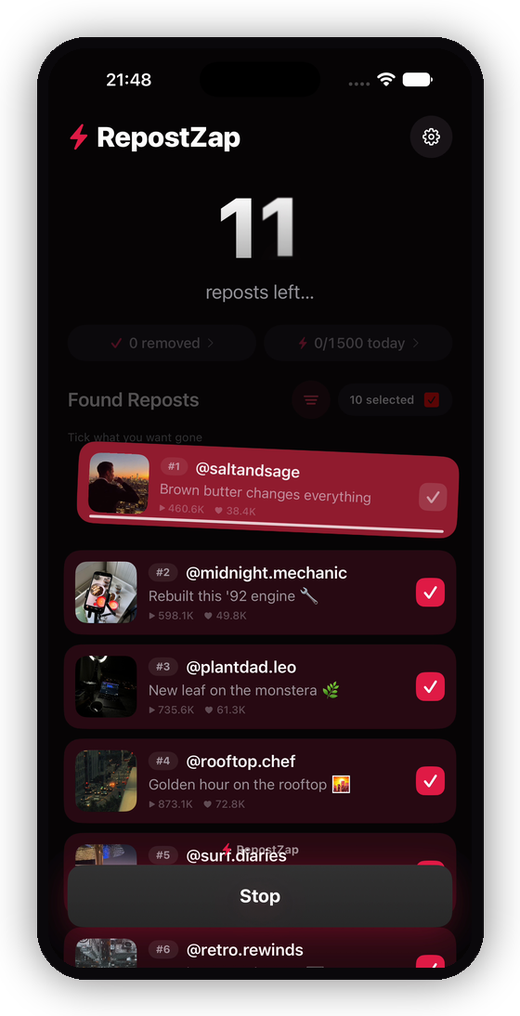
- A native app on both platforms. RepostZap is built separately for iOS and Android, not wrapped once and shipped twice: TikTok-app login hand-off, a live countdown while cards fly off your profile, and haptics at milestones on each.
- You control what stays. Keep-filters protect your most recent reposts or specific creators before the run starts, and nothing is removed until you confirm. Hit Stop anytime.
- You get receipts. Every removal is logged to a local history you can export as CSV, and it never leaves your phone.
- Free to try, Pro only if you need it. The scan and a daily allowance of removals cost nothing; Pro exists for big single-session cleanups.
The safety line they share
Both tools work through your own session, on your own device, the same way you'd remove a repost by hand, just automated and paced. That architecture is what makes this category safe: no server ever holds your account, and your password only ever goes to TikTok. If you're evaluating any repost remover, make that your first checkbox.
What about Android or desktop?
RepostZap is out on both phones now: App Store for iPhone and Google Play for Android, with the same scan, the same keep-filters, and the same one-pass cleanup on each. There's no desktop version yet, and no browser extension: doing this from a desktop browser add-on is the risky route, as covered in the repost remover extension guide.
Bottom line
RepostZap is the pick on either phone. The scan is free, it shows everything sitting in your Reposts tab in about a minute, and you decide what goes.
Frequently Asked Questions
Is a TikTok repost remover safe for my account?
What platforms does RepostZap support?
Does RepostZap need my TikTok password?
Can I try RepostZap for free?
Clear your Reposts tab with RepostZap
Scan your profile, see every repost you ever made, and remove the ones you pick in one pass. Free to download.